Wow, I have been home for over four hours and just worked my way to my project picture. To be honest I grabbed a few pictures of the birch tree at work because of the sunlight illuminating it against some great clouds but was anticipating going for a walk when I got home. As I’m pulling in the driveway the freezing rain was just beginning. The birch tree was going to have to be the picture.
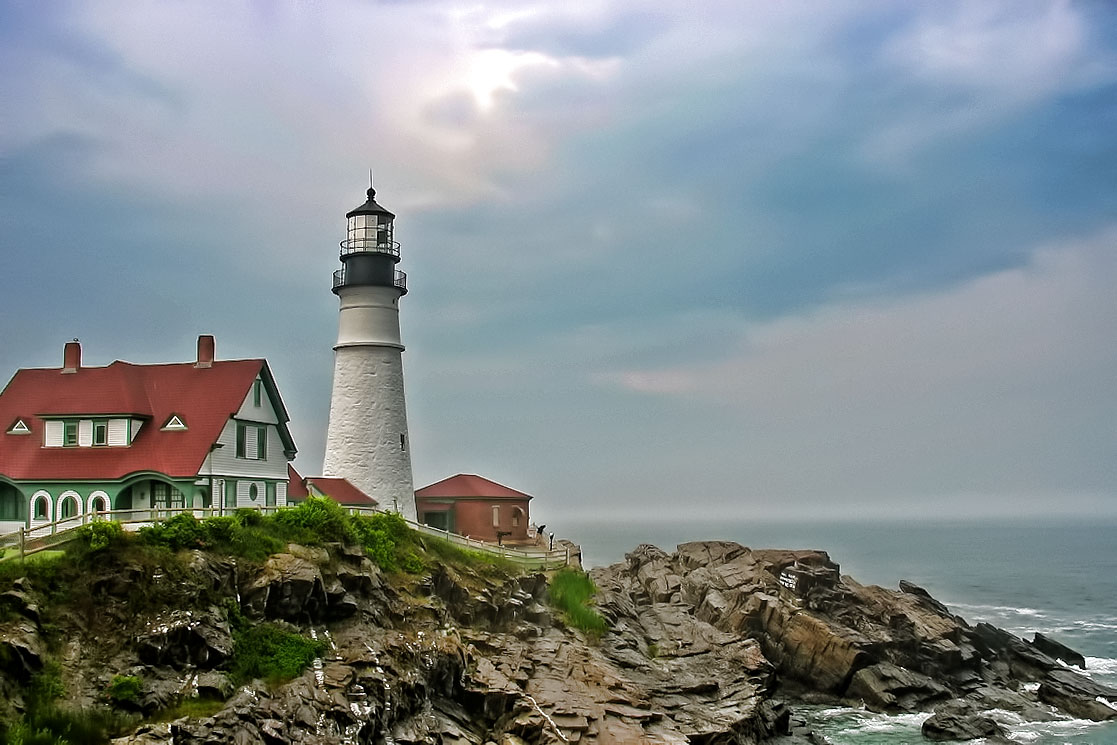
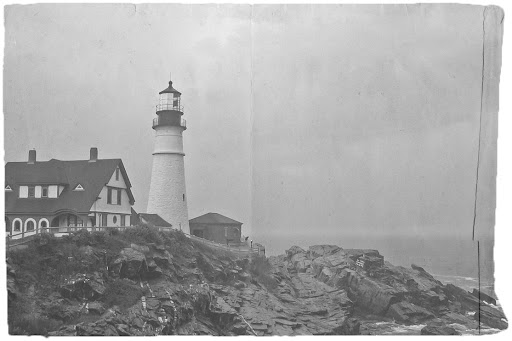
My 4 hour distraction started when I spotted the ‘Hack This Photo’ post with a picture of the Portland Head Lighthouse. This is a lighthouse I have visited a few times and photographed myself. I haven’t participated in this photo editing challenge before but couldn’t resist the subject. I worked the picture through processing a couple of different ways and ended up learning quite a bit more about Photoshop Elements and processing possibilities. I have included the two pictures at the end of the post.
The birch tree picture I used for my project is very simple but has great detail within the tree and nice colors provided by the blue sky showing through the white/grey clouds. The processing on the birch tree was done completely within Lightroom and kept fairly simple. I think I managed to get quite a lot of it right in camera.

For comparison, here is the SOOC picture:

The first of my distractions for the ‘Hack This Photo’ page was processed very normally for me. I minor adjustment of the levels, a pass through DeNoise 5 and then a final pass through Adjust 5. I selected the Dynamic Brightness preset from the HDR Collection to get me started. I needed to tweak a few of the settings to achieve the look I wanted. I like what I ended with, but as I mentioned earlier, very normal for me.
I wanted to get out of my comfort zone and try something new. I decided to edit the picture again this time learning how to apply a texture and create a picture that looked more vintage and aged. I had just read a post from Melina Ilieva on how to add a texture and create a vintage look for the picture. This is the article I followed: How to make a photo look like an old photograph.
I am really happy with the way this second picture turned out and I was able to learn a few new things about Photoshop Elements. This gives me more options when I’m out exploring with the camera. I have a new trick in my bag…
 MLCreations Photography