Day 86

It was a quick trip weekend.  We ended up leaving our house around 11:30am to make the 2.5 hour trip to my mother-in-law’s house.  We spent time with my brother-in-law and his family which was half the purpose for our trip.  My wife’s older sister also came over to visit with us and brought the 4 month old black lab we gave her around Thanksgiving.  Love that dog!  That was the other reason for our trip this weekend.  It all worked out well and was a nice weekend to do some driving.

We returned home by 3pm which left me with some time to go out playing with my camera.  I made a fast grocery run to get our supplies for the week and still was in the woods by 4pm.  The Daily Shoot assignment for today was about liquids and I read a blog post about photographing water and ice.  This all pointed me in the direction of the stream in the woods just down the road from my house.  The sun was out providing just enough light to make this a challenge but luckily for me the stream is down in a ravine which blocked any direct sunlight.

I had a great time exploring the stream looking for interesting combinations of ice and water flow.  I was hoping I could slow my shutter speed enough to get the water to look smooth.  I wasn’t able to get that glass look that I have seen in some pictures but I’m happy with the effect I did manage to capture.  There was a huge assortment of ice formations which made selecting just one picture a little tough for me.  The one I selected had some nice colors in the rocks just below the water.
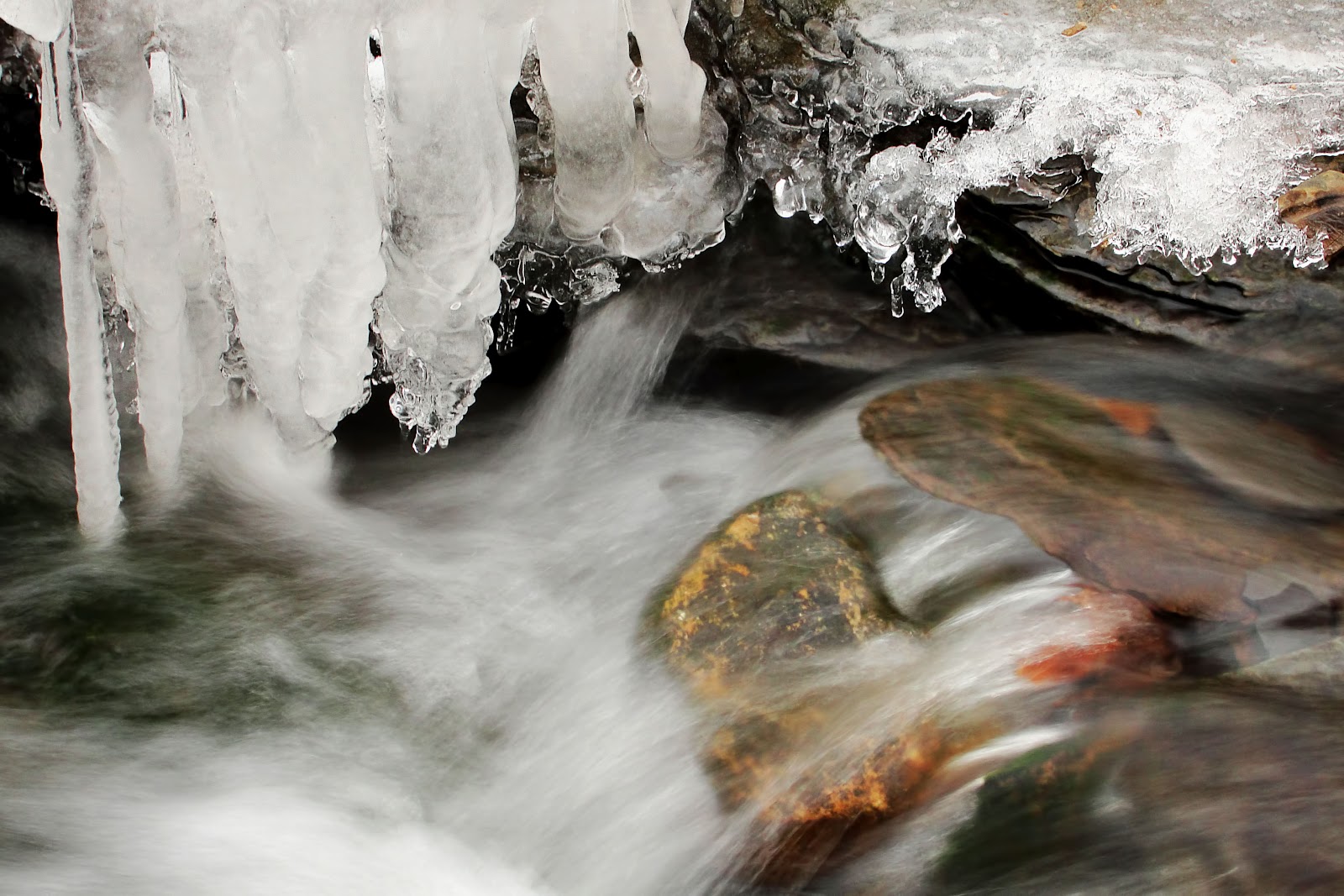
I stayed away from a lot of heavy processing with this picture and tried a few new techniques I learned recently.  I edited the picture in PS Elements 10 which I am learning more about every day.  I cropped the picture to the 2×3 ratio which removed some unwanted areas in the top of the original.  Due to my camera only saving in the JPEG format I ran the picture through DeNoise 5 to clean it up.  I then adjusted the levels and increased the saturation slightly.  The last enhancement I made to the picture was to create a layer mask for the ice and a high pass filter to just the ice portion of the picture.  I learned this technique from Nick Gatens yesterday and not only did I discover more about Elements it allowed me to enhance the detail of the ice formation.

I have a couple of dozen more pictures involving the stream and the water/ice theme I need to process.  I had a great time trying to capture these pictures.  I’m almost hoping we get a little more winter so I can try this again.

Day 85

I was determined not to miss the morning sun today.  We ended up getting a dusting of snow last night after the freezing rain stopped.  There really wasn’t enough to worry about but I view it as exercise so I shoveled the driveway.  Actually I pushed the snow from one side to the other with my 4 foot pusher shovel.  Hey, I was out at 7am walking back and forth which is exercise, right?

The sky was full of clouds when I started but as I finished up you could see the sun start to work its way through.  My plan was working.  I grabbed the camera and went for a short walk.  I managed to get quite a few nice pictures and even captured a bracketed set to show off the colors in the sky.  The picture I liked for my project was a macro of the property marker on the corner of our yard.  It is just a rusted piece of rebar but I like the texture and color against the sky.

We are heading down to my wife’s family farm today to visit with her sister and meet her brother to exchange a few things for our nephew.  I usually have a good time down there with my camera so I’m looking forward to a nice day.  I just hope the weather holds.

Day 84

Wow, I have been home for over four hours and just worked my way to my project picture.  To be honest I grabbed a few pictures of the birch tree at work because of the sunlight illuminating it against some great clouds but was anticipating going for a walk when I got home.  As I’m pulling in the driveway the freezing rain was just beginning.  The birch tree was going to have to be the picture.

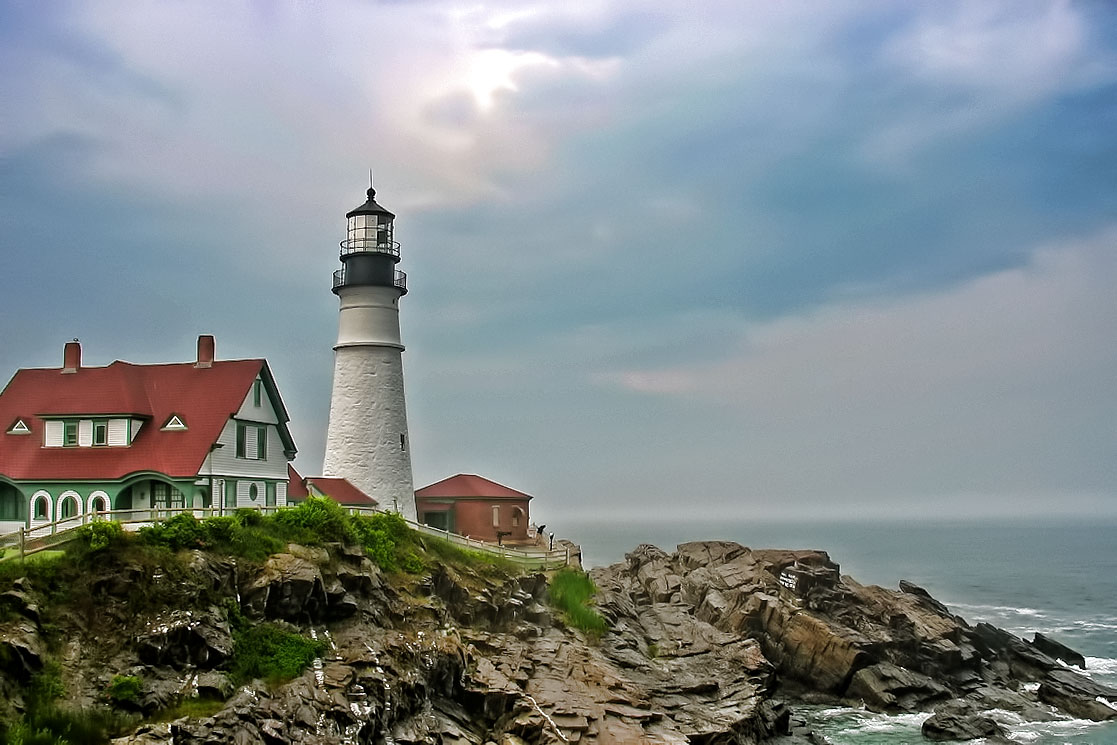
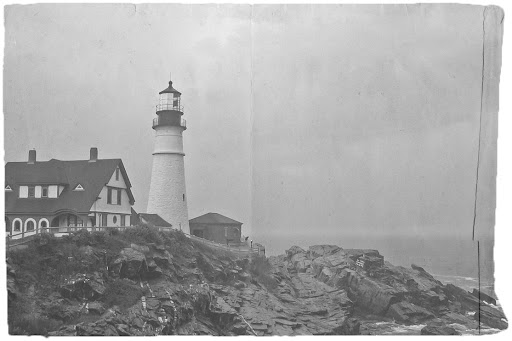
My 4 hour distraction started when I spotted the ‘Hack This Photo’ post with a picture of the Portland Head Lighthouse.  This is a lighthouse I have visited a few times and photographed myself.  I haven’t participated in this photo editing challenge before but couldn’t resist the subject.  I worked the picture through processing a couple of different ways and ended up learning quite a bit more about Photoshop Elements and processing possibilities.  I have included the two pictures at the end of the post.

The birch tree picture I used for my project is very simple but has great detail within the tree and nice colors provided by the blue sky showing through the white/grey clouds.  The processing on the birch tree was done completely within Lightroom and kept fairly simple.  I think I managed to get quite a lot of it right in camera.

For comparison, here is the SOOC picture:

The first of my distractions for the ‘Hack This Photo’ page was processed very normally for me.  I minor adjustment of the levels, a pass through DeNoise 5 and then a final pass through Adjust 5.  I selected the Dynamic Brightness preset from the HDR Collection to get me started.  I needed to tweak a few of the settings to achieve the look I wanted.  I like what I ended with, but as I mentioned earlier, very normal for me.

I wanted to get out of my comfort zone and try something new.  I decided to edit the picture again this time learning how to apply a texture and create a picture that looked more vintage and aged.  I had just read a post from Melina Ilieva on how to add a texture and create a vintage look for the picture.  This is the article I followed: How to make a photo look like an old photograph.

I am really happy with the way this second picture turned out and I was able to learn a few new things about Photoshop Elements.  This gives me more options when I’m out exploring with the camera.  I have a new trick in my bag…

Day 83

There is a new theme on The Hobby Photographer’s Photo-Theme Page for reflections.  I’ve taken quite a few pictures where the reflection is the subject or the picture involves a reflection so this will be an easy theme for contributions.  Also, Monday’s are usually the day I get to contribute the most pictures to the daily photography themes on G+ with Mirror Monday being one I have no trouble finding subjects to photograph.
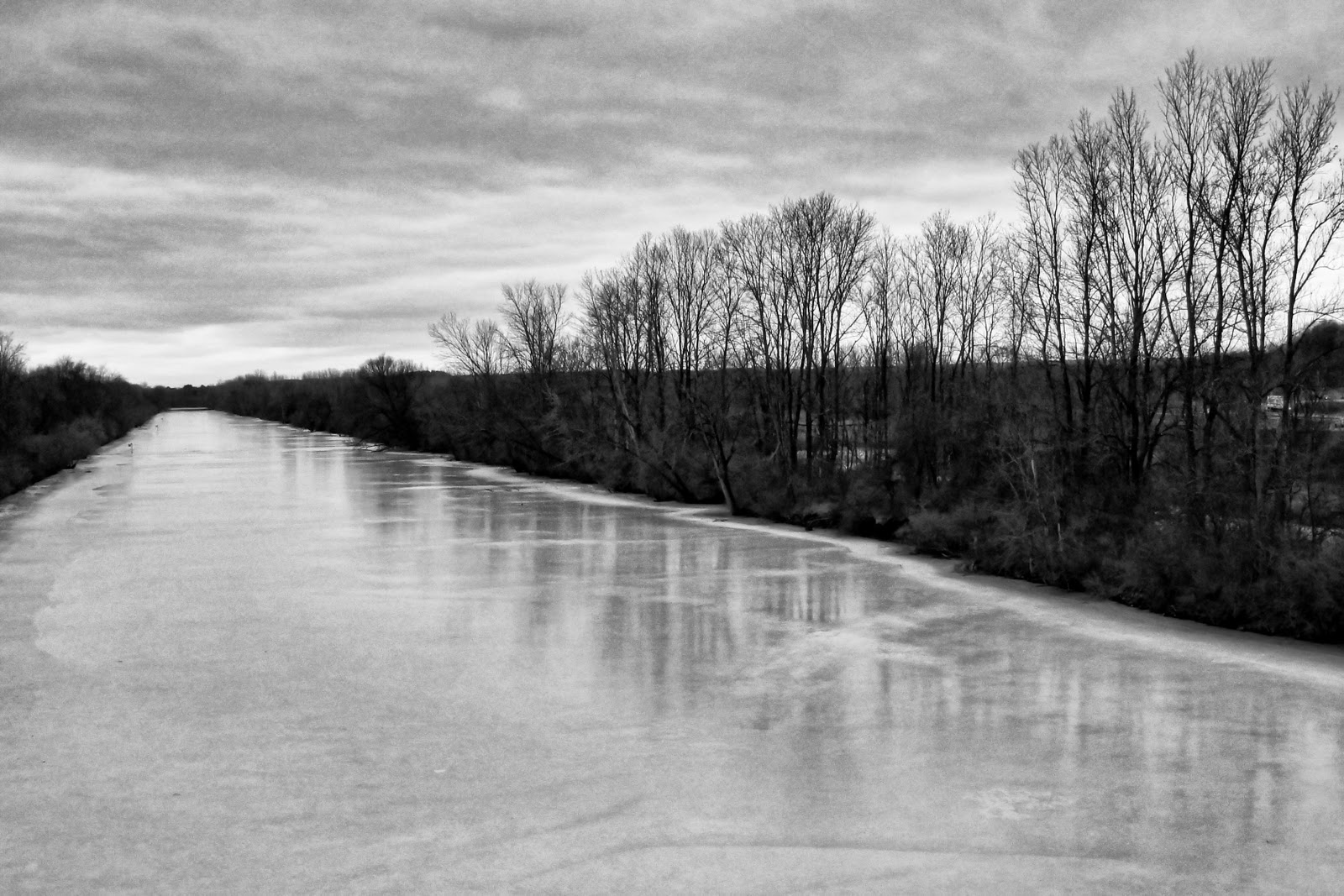
The barge canal is an easy subject for me because I have to cross over on my way home.  Making my choice to stop even easier is the location of a parking area and nature trail right off the road I travel.  Today was no exception since I noticed the warm weather had melted some of the ice and snow on the canal providing a fairly nice surface for reflections.  I knew as I walked up to the overpass that I would be processing the picture as a monochrome image due to the overcast sky and lack of foliage to provide any color.

I first tweaked the picture in Lightroom to get the best color picture I could.  I then passed the picture through Topaz Labs B&W Effects to help bring out the details in the picture.  The results are a little more pronounced than I usually produce but I think it works well for this picture.

Day 82

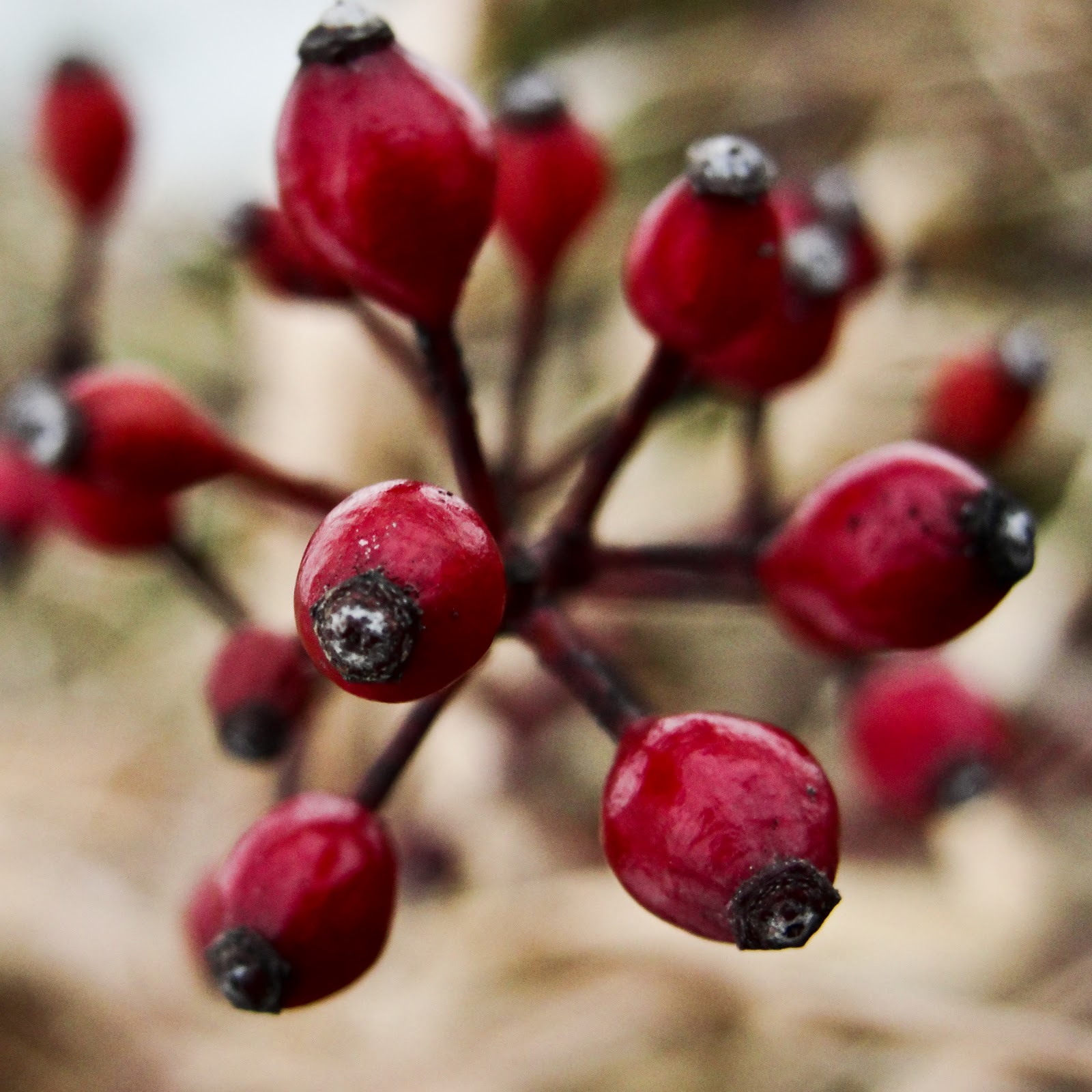
I was still on a macro/bokeh vibe for today and I knew exactly what I wanted to photograph.  Yesterday as I was walking around the yard I grabbed a few pictures of some tiny red berries.  I liked their color but the angle and composition of the pictures I had were not what I wanted.  I got home a little later than I anticipated and walked straight out to the back yard to get my picture(s).

The wind was blowing just a little more than I would have liked but I managed to get the top down view of the berries that I wanted.  The background winter grass was a better color than the white snow, trees and grey sky I used yesterday.  I was able to play more with the depth of field on the top down view which suited what I envisioned.

Just for comparison here is the picture from yesterday that got me interested in the berries but just didn’t work for me.  To be fair I haven’t processed this picture yet.