Calendar Contest Update

I received some good news today via email. One of my pictures entered in the photo contest for the Mohawk Valley 2013 calendar was selected by the readers. The picture below will be for the month of February. The calendar comes out on January 1st in the Observer-Dispatch paper.

This particular image was taken during lunch back on March 1st for an event on Google+. I ended up not using this image for the event and tried some not normal processing on it. I was very happy with the result because I felt it had a post card feel to it and I was able to keep the falling snow visible.

It is not my most favorite image but I thought it represented the Mohawk Valley which is what I thought the intent of the contest was.  Based on the other images in the competition it was more for photographers from the Mohawk Valley.  Anyway, I was happy to have two images selected for the competition and I’m thrilled to have one actually be in the calendar.

Canal Lock 20

Canal Lock 20

‘Tis The Season

Well, it is time to end my recent hiatus, I just wish it could be with a new picture. The weather, shorter daylight hours and quite a bit more activity at work as the year ends has kept me away from my camera. I even tried to enjoy today off from work but the constant drizzle outside and grey, overcast sky has left me with no opportunity to go exploring. To partially remedy this situation and relieve my posting withdrawal symptoms I decided to recycle and old image.

This image is from almost a year ago. I was still using my old point & shoot camera to learn on and was about three weeks into my attempt at a 365 project (that project eventually ended after 91 days, but that is another story). I had just finished hanging the lights on the house and realized I needed a picture for the day. I liked the way “cool blue” lights looked against the surrounding blackness.

As you can see from the original I was still learning my way around Lightroom. The Sony only saved JPEG images but I generally was able to create the image I wanted. I still hadn’t learned about blown highlights or white balance. The changes I made to this image are subtle. I corrected the color of the lights and recovered some detail in the highlights. I applied a little more noise reduction and sharpened the image with the newer techniques I have learned.  Small differences but I do like the new image better.

Xmas Lights Original Sony DSC-H20, 1/20s, 12.7mm, f/4, ISO 200

Xmas Lights Original
Sony DSC-H20, 1/20s, 12.7mm, f/4, ISO 200

Xmas Lights Redo Sony DSC-H20, 1/20s, 12.7mm, f/4, ISO 200

Xmas Lights Redo
Sony DSC-H20, 1/20s, 12.7mm, f/4, ISO 200

Image Redo

I read an interesting post today by a fellow blogger from Australia who I follow, Leanne Cole (Leanne Cole’s Photography Field Trips), about reprocessing an old image. I generally do not go back through my pictures, except maybe vacation or Disney, but she wrote about applying new techniques she had learned and seeing the affects her current method might have on an image (Restructure).

Surprisingly for Leanne the changes were more subtle than she anticipated. It was more of a refinement but the results, in my opinion, were better on her second image. There was more detail in the subject and a slight change to tone which I really thought enhanced the image. Seeing the results of her ‘redo’ I decided to give it a try myself.

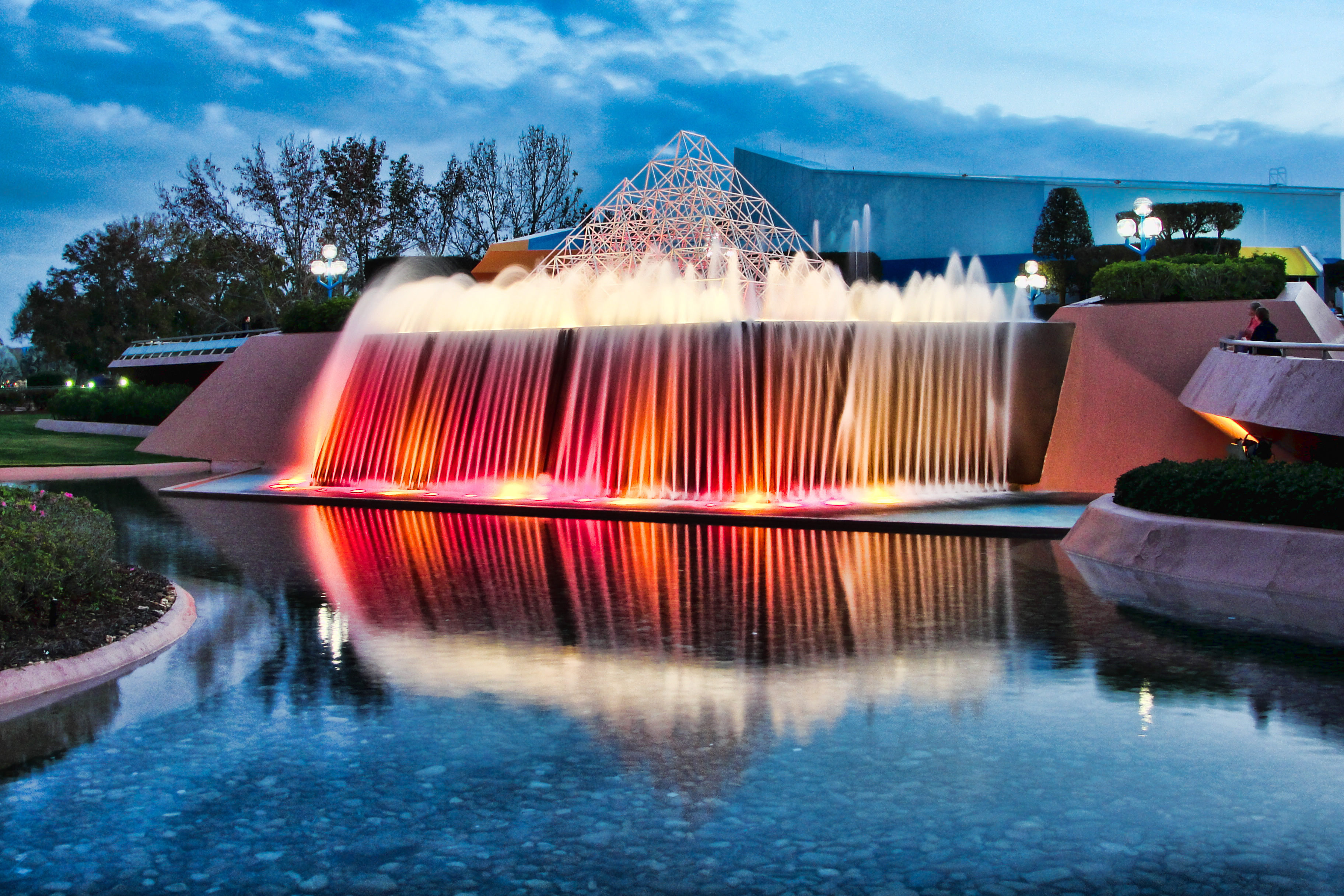
I wanted to see what I could do with an image from my Disney trip in January. I had been exploring photography for about seven months by the time we made the trip and I was still using my Sony point & shoot camera. I had a blast on that trip! I came away with quite a few images I am really happy with. The particular image I chose was of the reverse waterfall in front of the Imagination Pavilion in Epcot’s Future World. I have always admired pictures of this area for the colors and the ability of the photographs to smooth out the water. I was able to achieve the same effect with my camera, sans tripod, but reviewing the image today I think I pushed the processing just a little too far.

I had just ‘graduated’ from simple Lightroom image processing to utilizing the Topaz Labs filters and I believe I went a little crazy with the Adjust module. I reset the original and set about processing the image with LR4, PS Elements 10 and the Topaz Labs filters. The finer control to the exposure offered by LR4 definitely helped me improve the base image prior to finishing in Elements.

Here is the image straight out of the camera:

Imagination Falls – SOOC
Sony DSC-H20, 1.3s, 6.3mm, f/8, ISO 100

This is my original processing of the image:

Imagination Falls – Original Processing

I obviously lost the great glossy look to the water by over processing. Comparing the two images side by side I also see that I de-saturated the colors a little, which really was part of the appeal of the scene. I over sharpened to the point of inducing a grainy look to the image.

Here is my second attempt:

Imagination Falls – Re-processed

Now I have to stop myself from returning to all my pictures to see what I could do to ‘improve’ them. I can’t dwell on the past images but should continue to move forward. I might sneak in a few now and then, especially if I want to use the image for something else, like that book I keep threatening to make to share with my family.

Thanks to Leanne Cole (Leanne Cole’s Photography Field Trips) for her article earlier today which started me down this road.

Standout in a Crowd

Standout in a Crowd
Nikon D5100, Sigma 17-70mm f/2.8-4.0, 1/200s, 32mm, f4, ISO 800

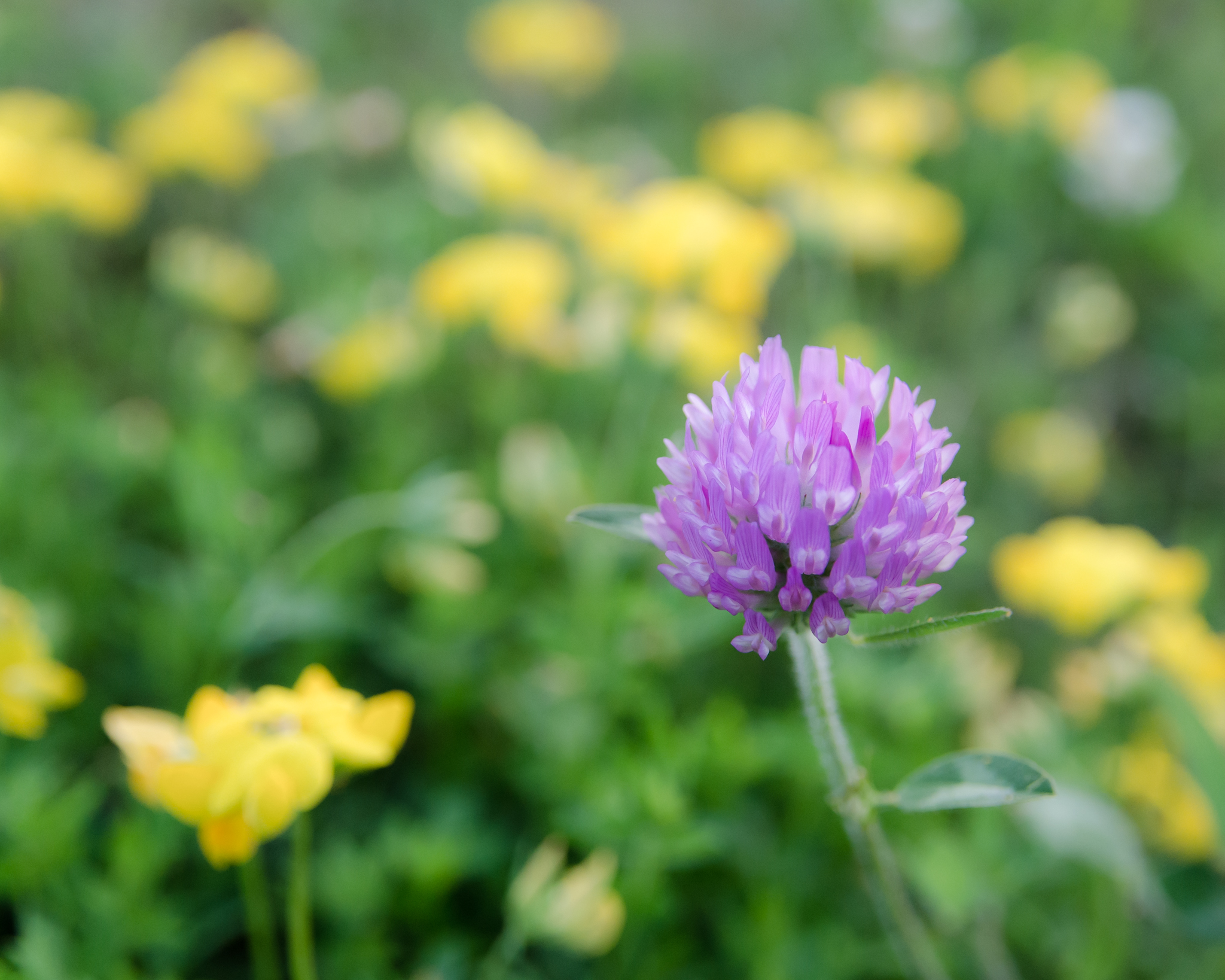
I’m fortunate enough to live out in the country. I can walk out the back door and explore the field for hidden (or not so hidden) treasures. Generally I know it is time to go exploring when I see the field light up as the sun sets. It gets a nice warm glow just before the sun dips below the trees. Other days I just go crawling around looking for opportunities among the wildflowers and grass. This picture was one of those opportunities…

Better or Worse?

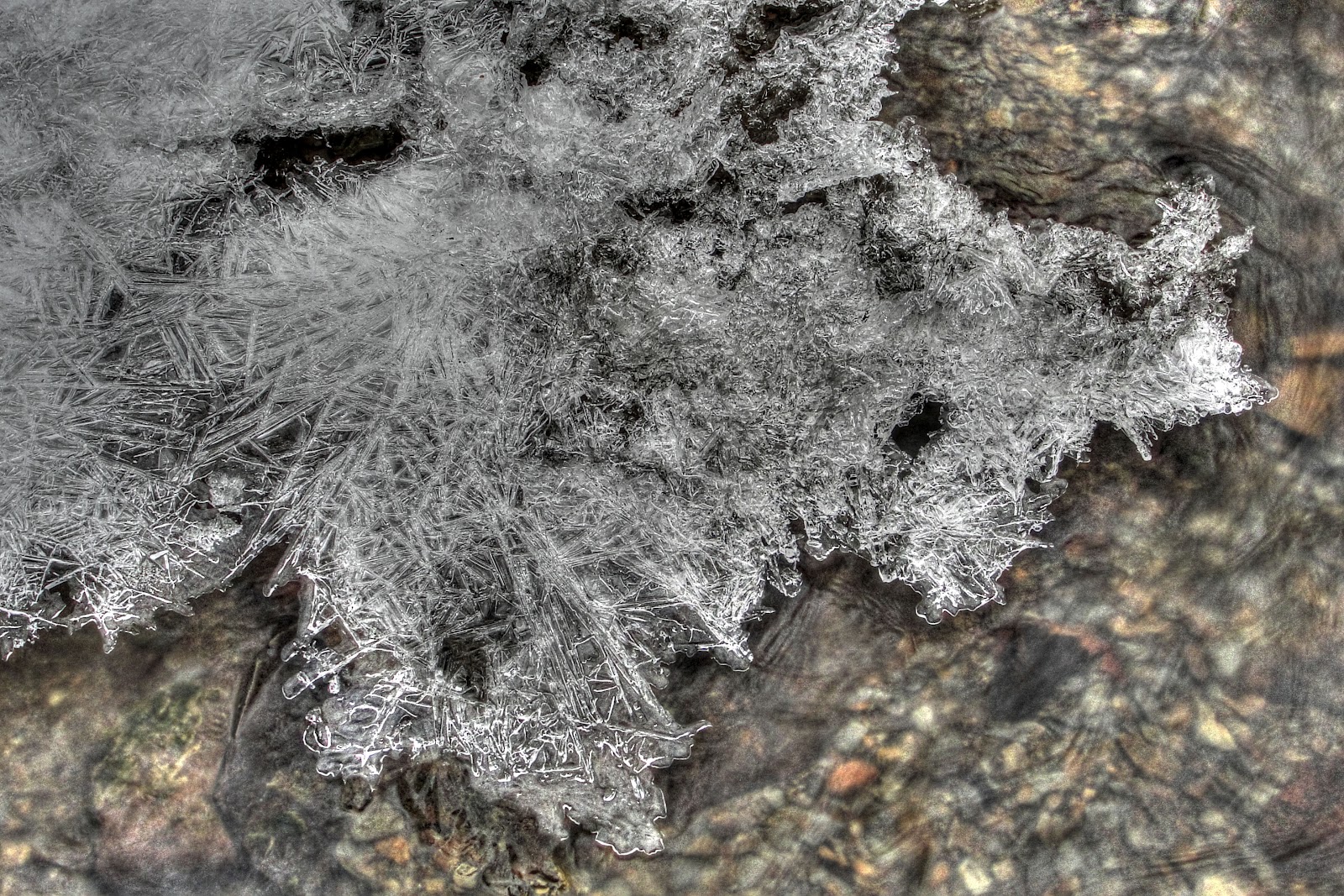
A couple of days ago I posted a picture of some ice in the creek.  At the time I really liked the picture and used it as my 365 project picture for the day.  This picture was another of my attempts at HDR processing using the Photomatix software.  I basically let the software do its thing and added a few small tweaks in Elements when it was done.

After staring at this picture for a day or two I feel that I went too far with the processing and ruined the actual look of the ice.  I checked out a few online guides/tutorials to basic HDR processing and didn’t see where I might have gone wrong on that end other than a tendency for the HDR software to produce grey looking whites.  Which is basically what I felt happened to this picture.  I found where most HDR processing brings the finished picture into Photoshop or Elements to ‘correct’ the problem areas.  Some of those problems being the grey whites, the addition of noise, etc.

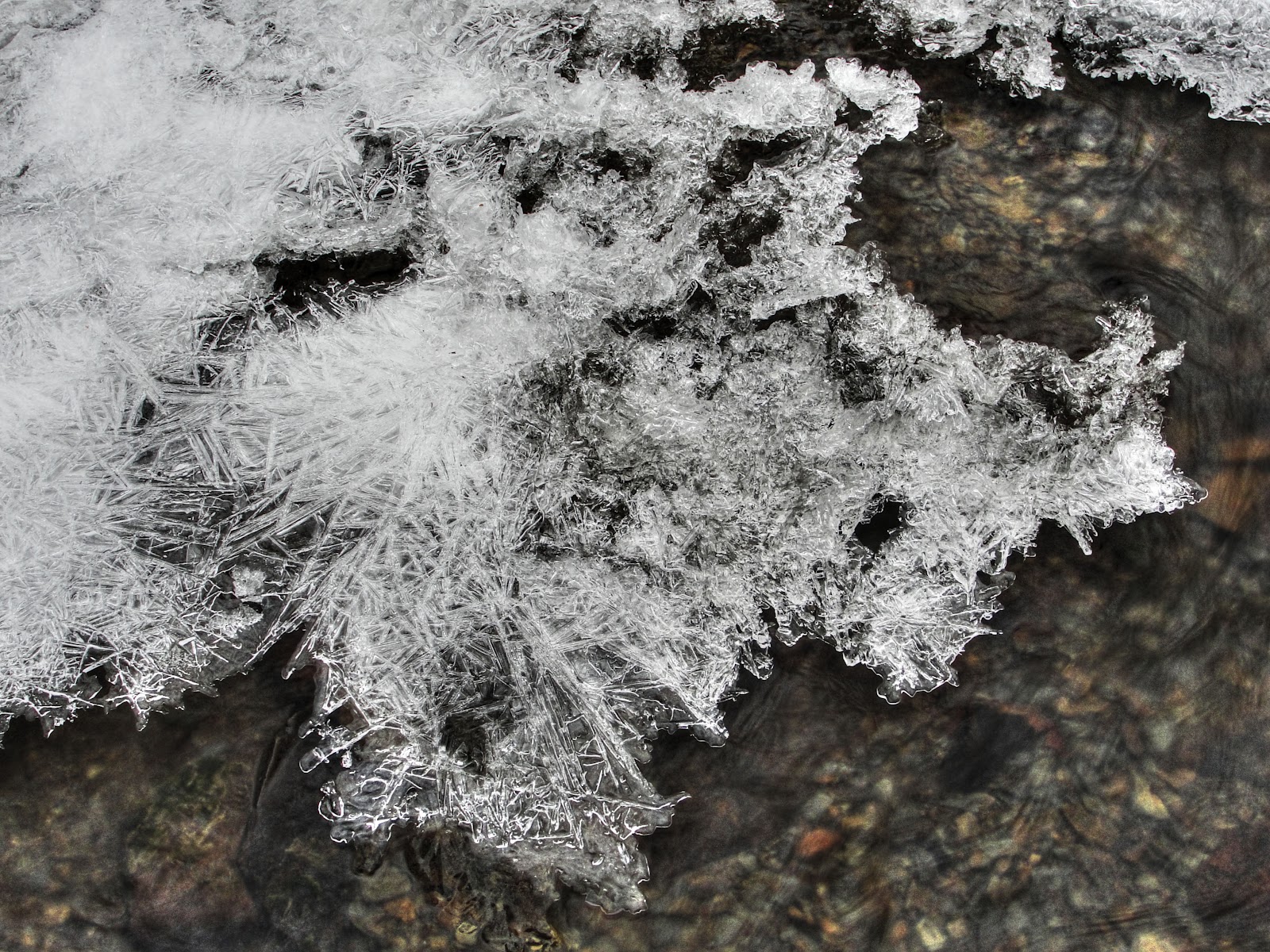
I couldn’t help trying to improve my original picture so I opened Elements, brought the first picture back in as well as the 0 EV exposure picture.  I added the 0 EV picture as another layer in the original HDR picture.  I set the blending to Hard Light and the Opacity to 75%.  I think this dramatically changed the picture and for me brought it back to what I saw in the creek the day I took the picture.  This picture is the non-cropped version.

I would appreciate any constructive criticism on how to better process the picture.  I realize a lot of the choices we make as we process are to achieve a picture that matches either our memory of the scene or a vision we had when we captured the picture.  Still, any tips for processing multiple exposures would be appreciated.  Thanks.